A shared task sheet fails when it becomes a place to record work instead of a place to decide what happens next. More columns do not fix that problem.
A useful tracker makes ownership, status, urgency, and the next deadline easy to scan. It also has one agreed routine for updates.
01
Use the smallest set of fields that changes decisions
Begin with task, owner, priority, status, due date, and percent complete. Add project or team only if the same list contains multiple workstreams. Add notes for blockers, not as a substitute for a clear task name.
Put the list in an Excel Table so formulas, filters, and formatting extend to new rows automatically.
- Task
- Owner
- Priority
- Status
- Due date
- Percent complete
- Blocker or next step
02
Define status and priority before the team starts
Use a short status list such as Not started, In progress, Blocked, and Done. If two people interpret a status differently, the dashboard will be precise but wrong.
Priority should describe the consequence of delay, not the enthusiasm of the requester. Three levels are usually enough for a small team.
03
Calculate urgency instead of coloring it by hand
Use the due date and status to identify overdue work and tasks due soon. Conditional formatting can call attention to exceptions while leaving normal work visually quiet.
Keep completed tasks out of overdue calculations. Otherwise old rows will turn the tracker into a wall of false alarms.
=IF([@Status]="Done","",[@[Due date]]-TODAY())04
Make the dashboard a review queue
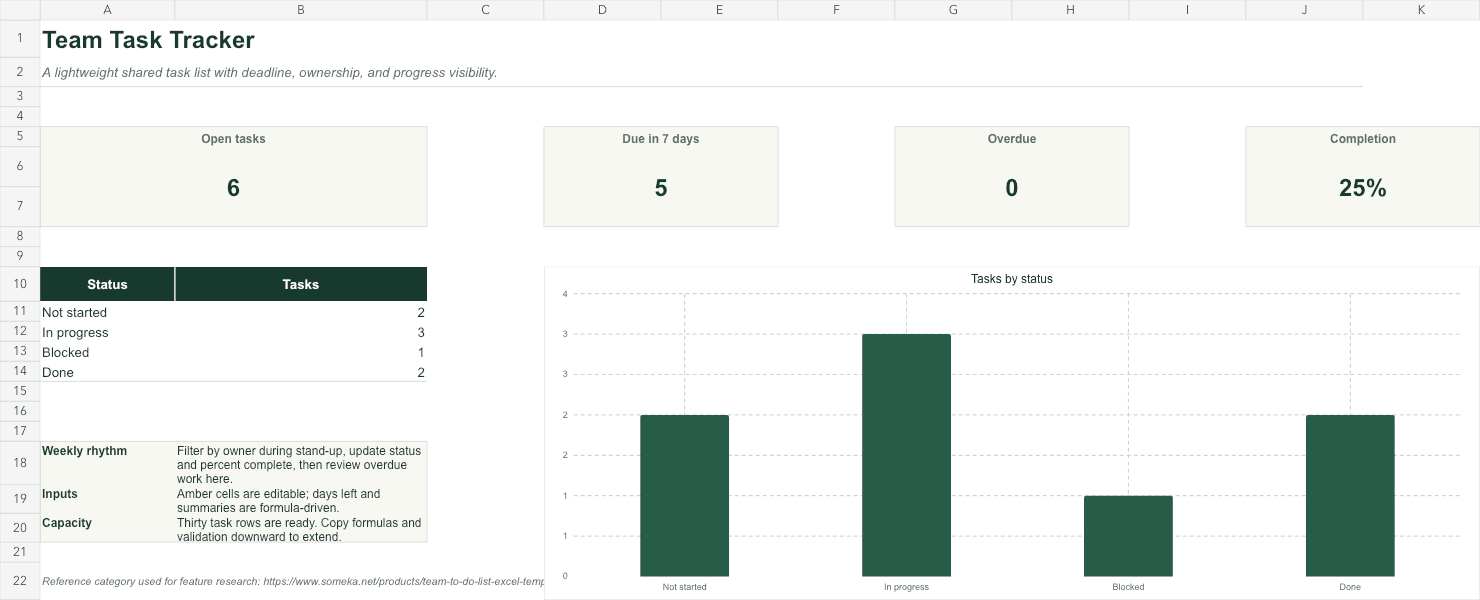
A practical dashboard shows open work, overdue tasks, work due in the next seven days, and completion by status or owner. It should lead directly back to the filtered task rows.
During a weekly review, update status and next steps in the source list. Archive completed work periodically so the active sheet stays fast and readable.
Skip the blank-sheet setup
Team Task Tracker
Start with a 30-row task list, deadline alerts, editable dropdowns, and a calm status dashboard.FAQ
Common questions
What should be included in a team task tracker?
Use task name, owner, priority, status, due date, percent complete, and a short blocker or next-step field. Add project or department only when needed for filtering.
How do I highlight overdue tasks in Excel?
Create a conditional-formatting rule that checks whether the due date is before TODAY() and the status is not Done.
When should a team move beyond a spreadsheet task tracker?
Use dedicated project software when you need dependencies, notifications, comments, attachments, permissions, or real-time updates across a larger team.